Profile Approval System
Last Updated: September 28, 2025
Document Version: 1.0
Prepared for: Emgage HRMS Implementation Team
Overview
The Emgage HRMS Profile Approval System provides a comprehensive solution for managing employee profile changes through a structured approval workflow. Following successful onboarding completion, the system implements intelligent routing where employee-initiated changes require approval, while administrative changes are processed immediately.
- Secure profile management with proper oversight
- Flexible dual-path processing (employee vs admin changes)
- Transparent approval workflow with complete audit trail
- Efficient direct admin access for immediate updates
System Workflow
Initial Setup
Upon completion of the employee onboarding process in Emgage HRMS, the system automatically creates a comprehensive employee profile ready for future modifications and updates.
Administrative and managerial changes bypass the approval process entirely, ensuring immediate updates when required for operational efficiency.
User Roles and Permissions
Employee Role
Available Capabilities:
- View complete personal profile information
- Submit profile change requests
- Track status and progress of pending requests
- Receive notifications regarding approval decisions
Manager Role
Available Capabilities:
- Access to all employee-level functionalities
- Review profile change requests from team members
- Approve or reject profile modifications
- Make direct changes to team member profiles
- Access team analytics and reporting features
Administrator/HR Role
Full System Access:
- Manage all employee profiles across the organization
- Execute immediate profile changes without approval requirements
- Override approval decisions at any level
- Access comprehensive audit trails and system logs
- Perform bulk operations and generate reports
Approval Process Details
Employee-Initiated Changes
Request Submission
- Employee submits profile modification through self-service portal
- System captures both original and requested field values
- Request automatically enters the approval queue
- Employee receives confirmation with unique tracking identifier
Review and Evaluation
- Designated manager or administrator receives instant notification
- Request appears in their approval management dashboard
- Side-by-side comparison of current vs. proposed values displayed
- Complete context and justification for changes provided
Decision and Implementation
- Approved Requests: Changes are applied immediately to the employee profile
- Rejected Requests: Employee receives notification with detailed reasoning
- Status Updates: Automatic notifications sent to all relevant parties
Administrative Changes
No approval required. All administrative and managerial changes are:
- Applied instantly to employee profiles
- Bypassed from standard approval workflows
- Logged in comprehensive audit trail
- Optionally notified to affected employees
System Features
Processing Methods
| Feature | Employee Changes | Admin Changes |
|---|---|---|
| Approval Required | Yes | No |
| Processing Time | Pending review | Immediate |
| Notification | Status updates | Change confirmation |
| Audit Trail | Full tracking | Full tracking |
Management Dashboard
- Real-time Analytics - Track approval metrics and operational trends
- Bulk Operations - Process multiple requests simultaneously
- Advanced Filtering - Locate specific requests efficiently
- Smart Notifications - Customizable alert and reminder preferences
- Mobile Responsive - Complete functionality across all device types
Security and Compliance
- Role-Based Access Control - Granular permission management
- Complete Audit Trail - Comprehensive logging of all system changes
- Secure Workflows - Encrypted data transmission and secure token authentication
- Compliance Standards - Adherence to industry regulations and requirements
System Interface Documentation
Visual reference guide for the Emgage HRMS Profile Approval System interface components.
Onboarding Completion Interface
🚀 Smart Processing
| Feature | Employee Changes | Admin Changes |
|---|---|---|
| Approval Required | ✅ Yes | ❌ No |
| Processing Time | Pending review | Instant |
| Notification | Status updates | Change confirmation |
| Audit Trail | Full tracking | Full tracking |
� Management Dashboard
- 📈 Real-time Analytics - Track approval metrics and trends
- 🎯 Bulk Operations - Process multiple requests simultaneously
- 🔍 Advanced Filtering - Find specific requests quickly
- 📧 Smart Notifications - Customizable alert preferences
- 📱 Mobile Responsive - Manage approvals on any device
🔒 Security & Compliance
- 🛡️ Role-Based Access - Granular permission controls
- 📝 Complete Audit Trail - Every change is logged and traceable
- 🔐 Secure Workflows - Encrypted data and secure tokens
- 📋 Compliance Ready - Meets industry standards and regulations
📸 System Interface Gallery
Explore the user-friendly interface with real screenshots from the Emgage HRMS system
🎯 Onboarding Completion
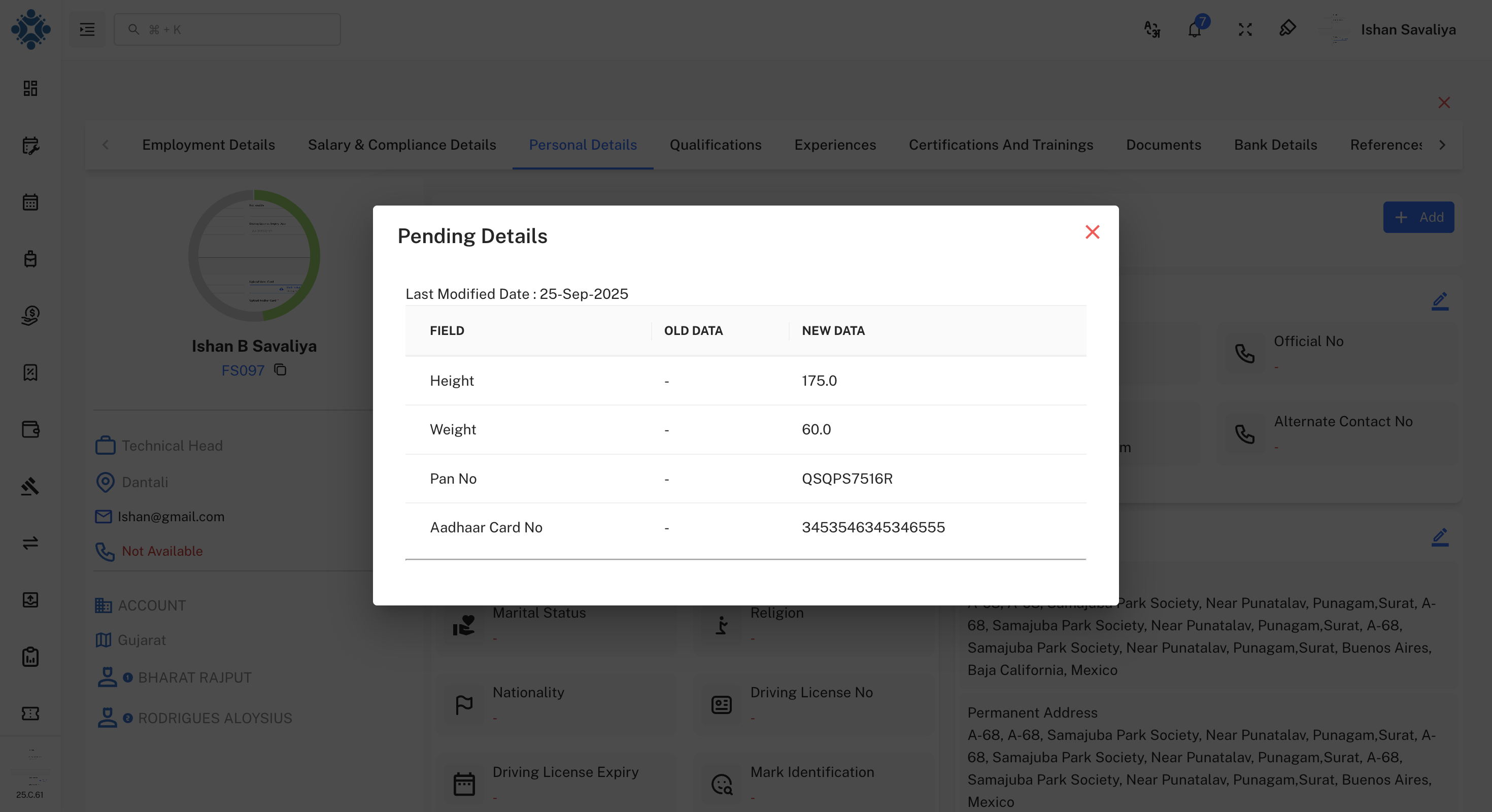
Interface Description: Employee onboarding completion confirmation screen displaying successful profile creation and system readiness status.
Profile Change Request Interface
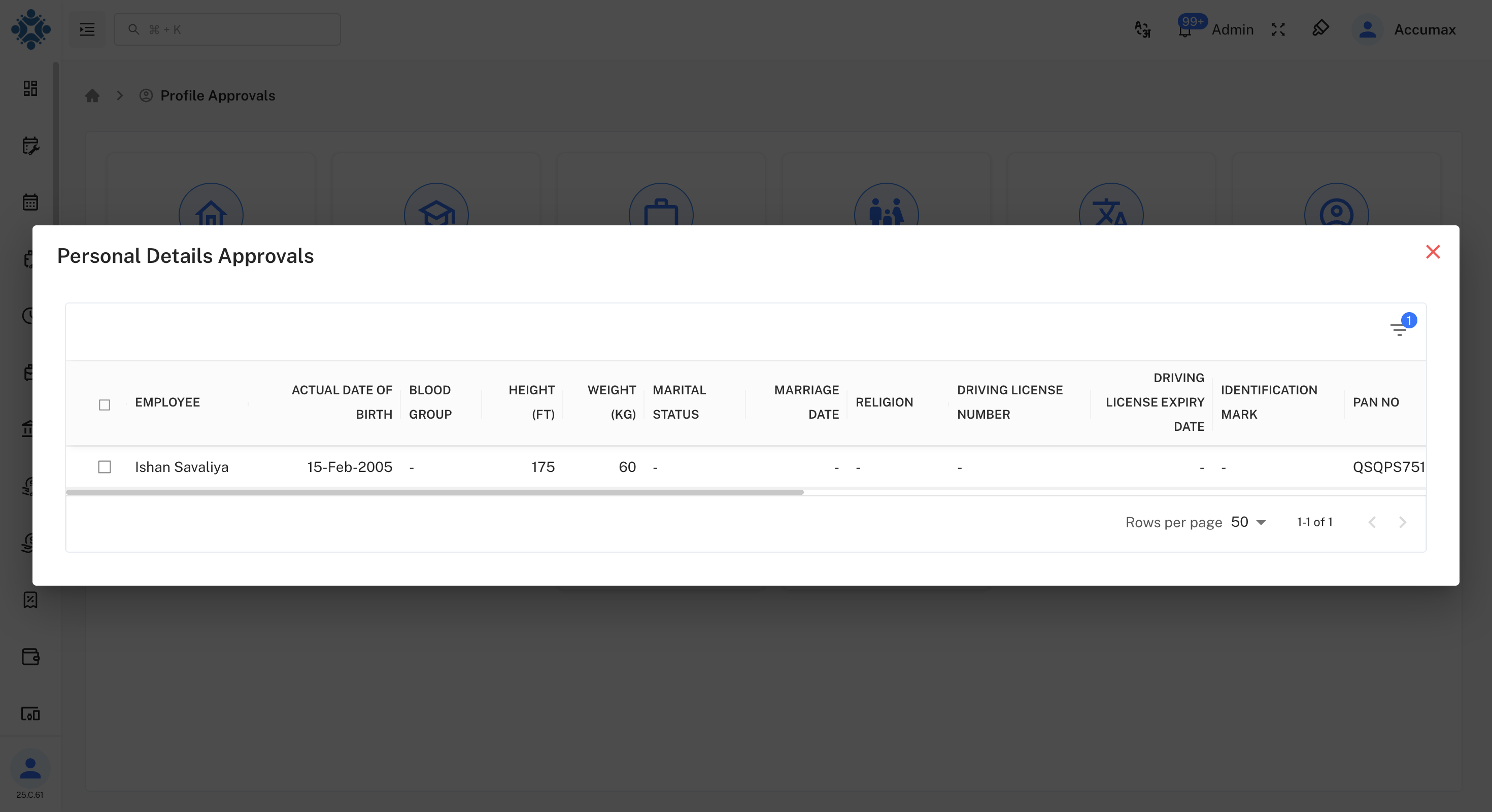
Interface Description: Employee self-service portal interface where users can submit profile modification requests with detailed change descriptions.
Approval Management Dashboard
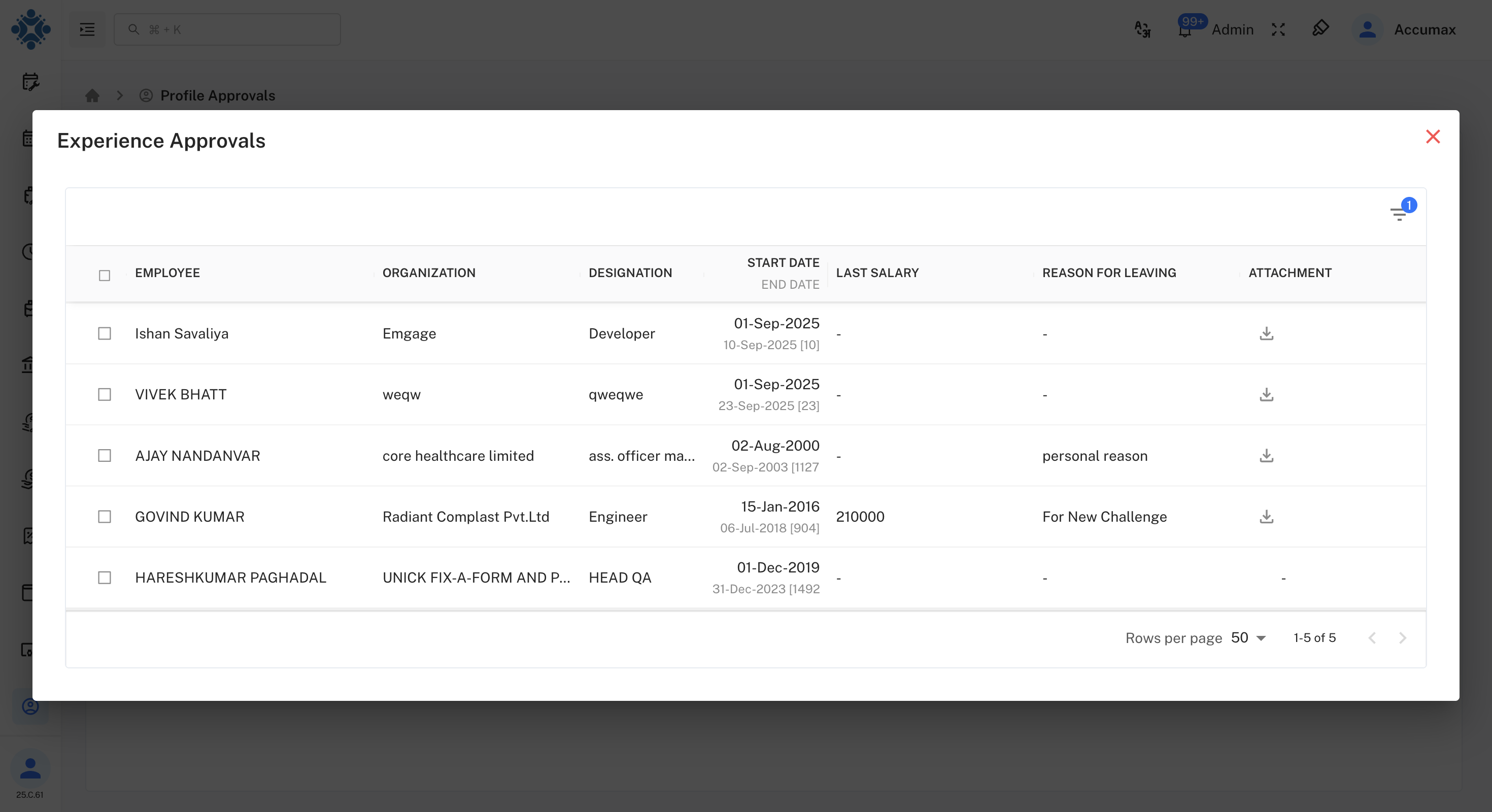
Interface Description: Manager and Administrator dashboard displaying all pending approval requests with comprehensive filtering and sorting capabilities.
Detailed Review Interface
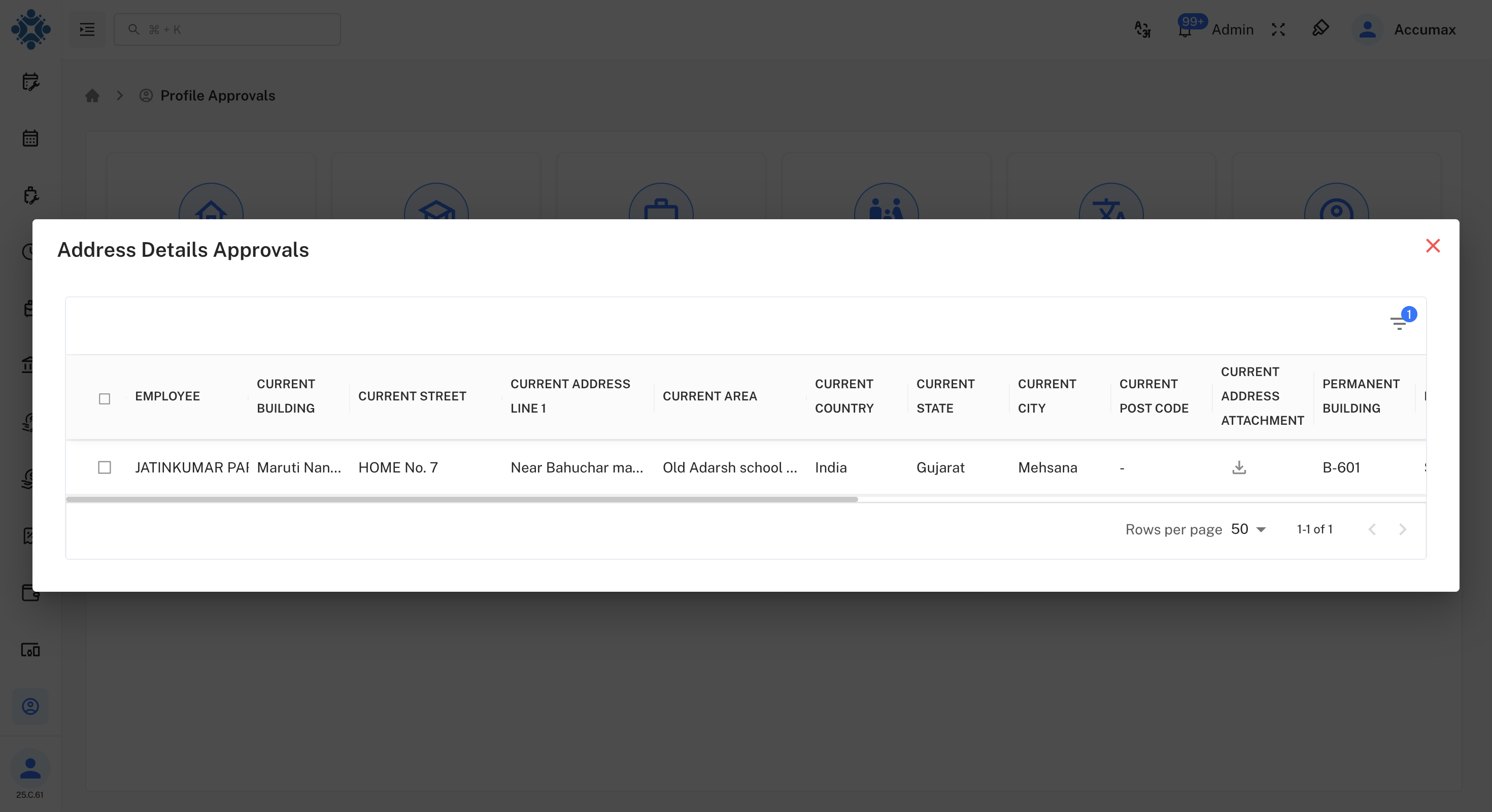
Interface Description: Comprehensive review screen showing before and after values, employee justification, and approval action controls.
Administrative Direct Edit Interface
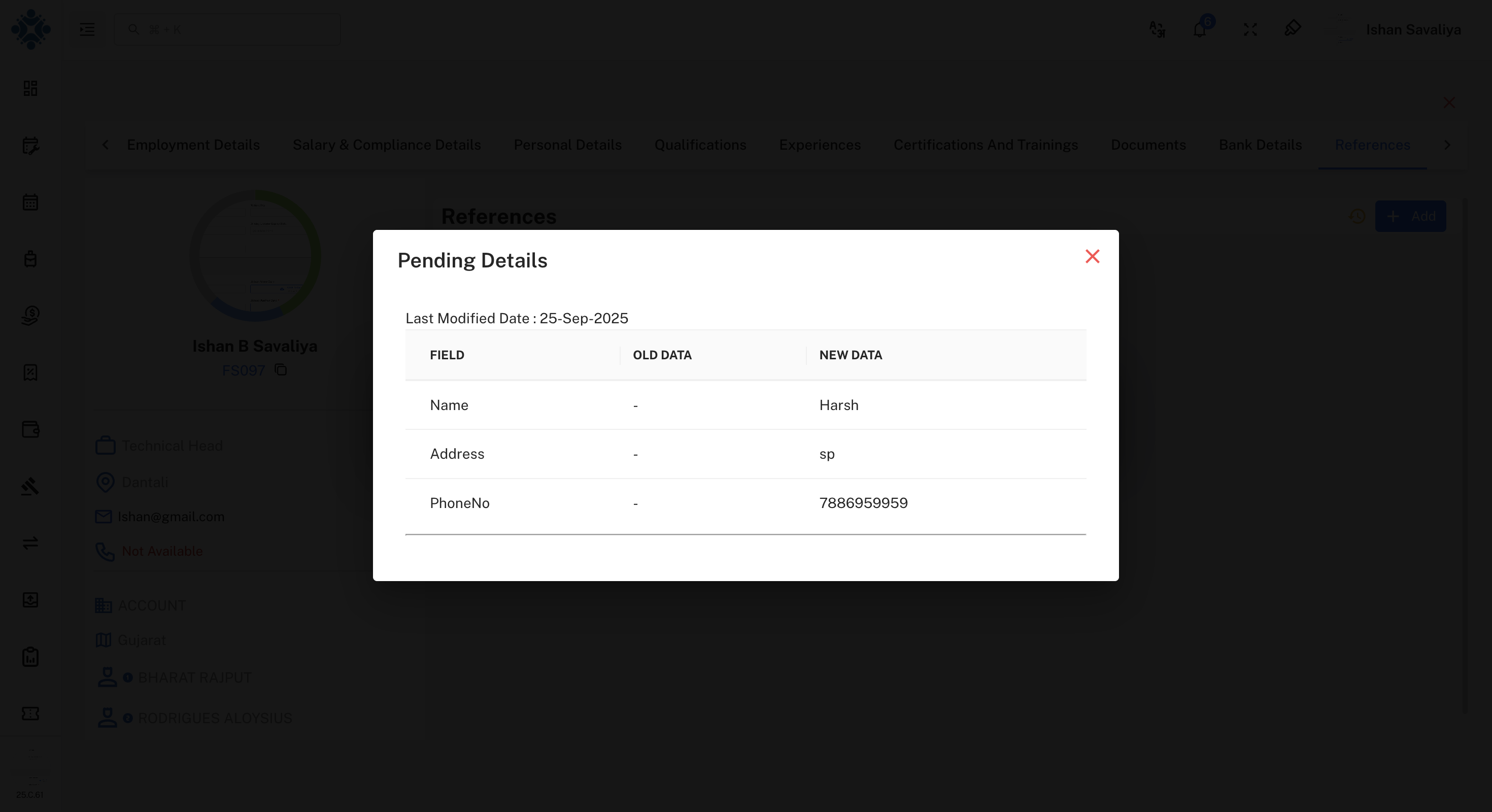
Interface Description: Administrative interface for executing direct profile changes that bypass the standard approval workflow.
Update Confirmation Interface
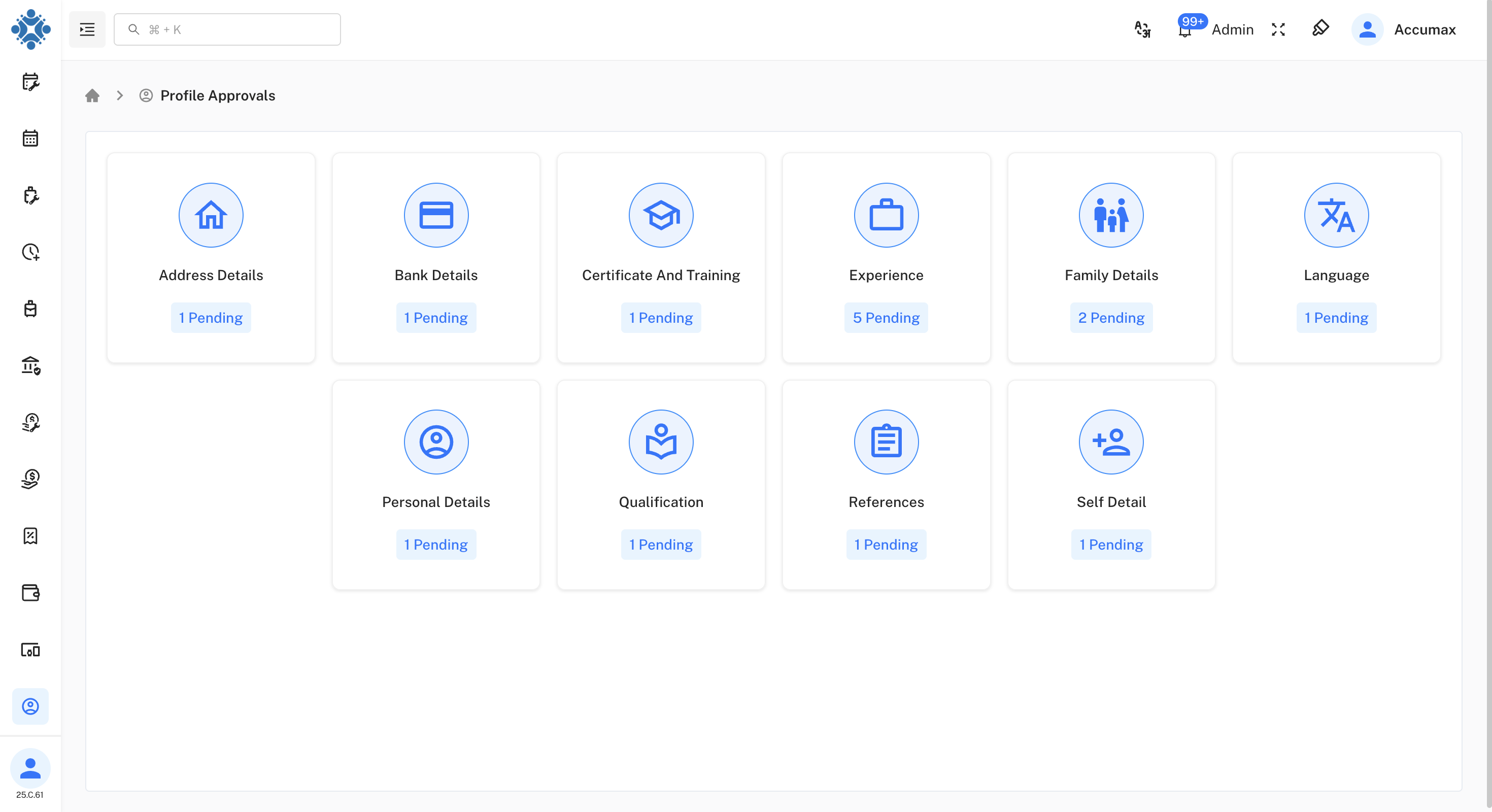
Interface Description: Confirmation screen displayed after profile changes have been successfully processed and applied to the system.
Manager Review Portal
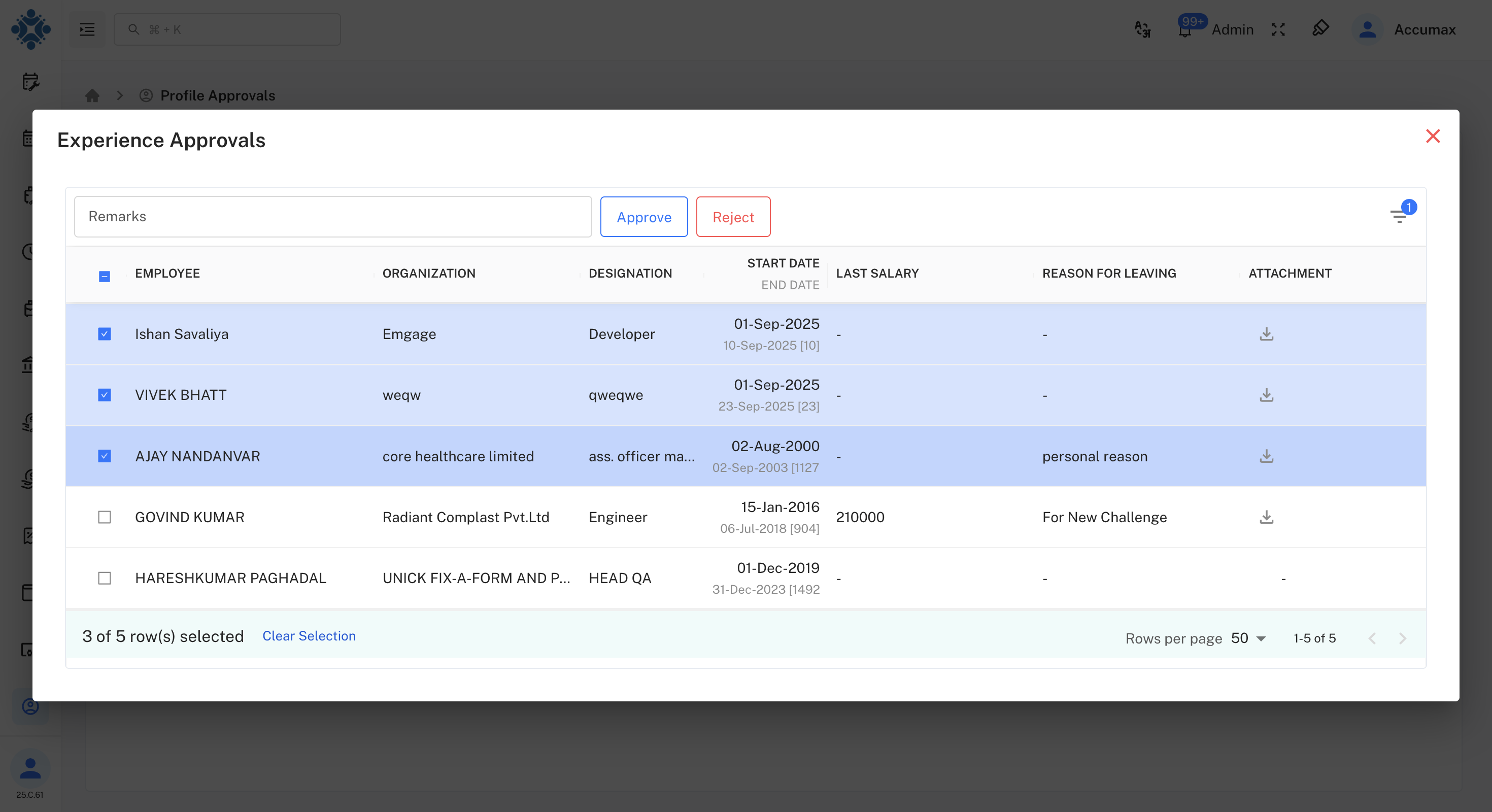
Interface Description: Manager-specific interface for reviewing and managing team member profile change requests and approvals.
Status Dashboard Interface
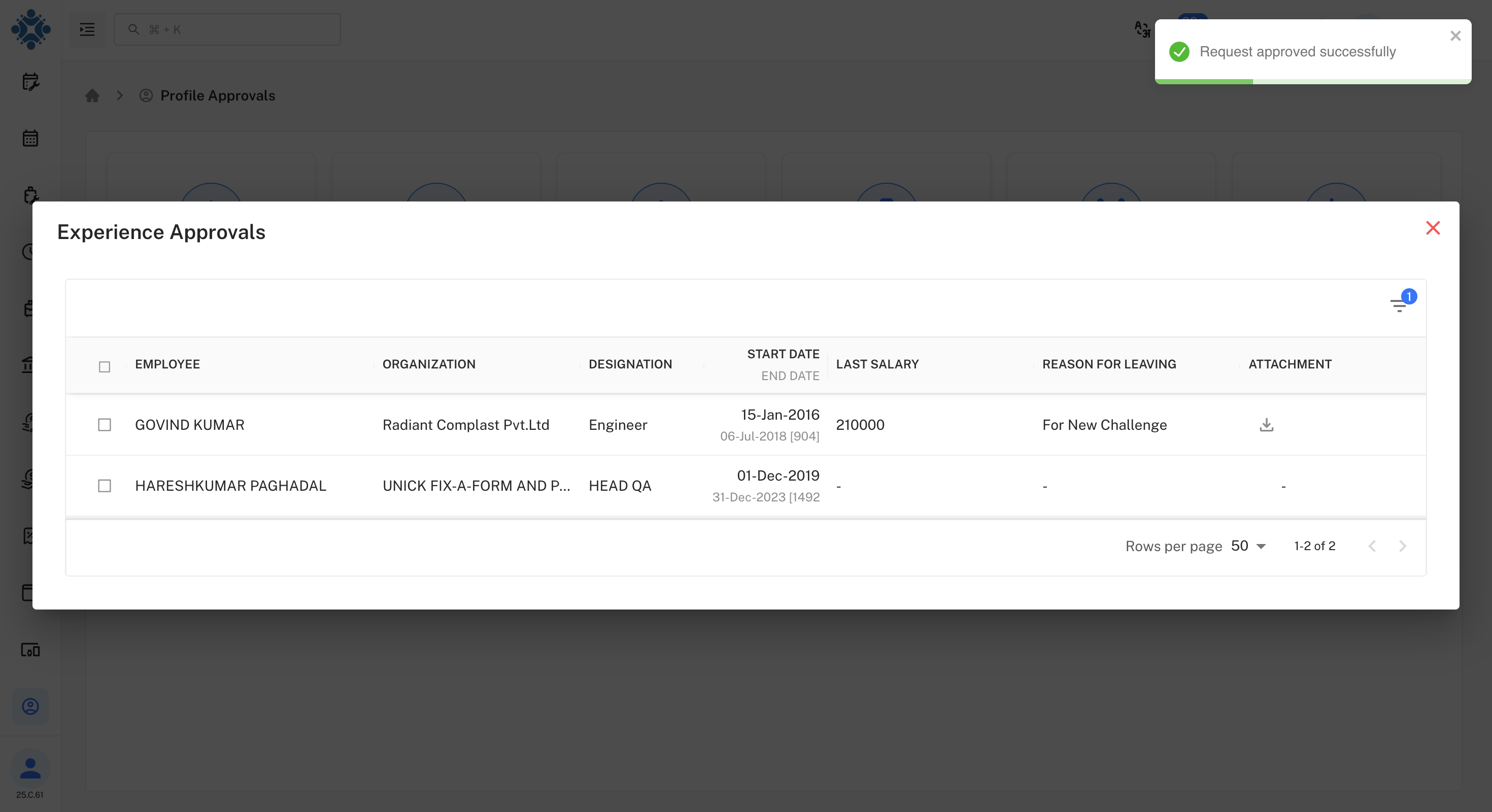
Interface Description: Comprehensive status dashboard displaying approved, pending, and rejected requests with analytics overview.
Business Rules and Policies
Automatic Approval Scenarios
The following change types are automatically approved and implemented immediately:
- Administrator Role: All profile modifications across the organization
- Manager Role: Changes to direct team member profiles
- System Updates: Automated synchronization and maintenance processes
- Bulk Operations: Mass updates performed by authorized personnel
Manual Approval Requirements
These change types require manual review and approval:
- Employee Self-Service: Any profile modifications initiated by employees
- Cross-Department Changes: Modifications affecting multiple organizational units
- Sensitive Field Updates: Changes to salary, position, security clearance, or confidential information
- Document Management: Updates to official records and certifications
Notification Framework
| Event Type | Notification Timing | Target Recipients |
|---|---|---|
| New Request | Immediate | Assigned approvers |
| Status Change | Real-time | Request originator |
| Escalation | After 48 hours | Senior management |
| Bulk Updates | Daily digest | Department heads |
Technical Implementation
System Architecture
Database Components:
- Approval Queue Table - Storage for pending requests and their metadata
- Change Tracking Table - Comprehensive before and after value comparisons
- User Permissions Table - Role-based access control definitions
- Audit Log Table - Complete historical record of all system changes
Critical Security Components:
- RBAC Implementation - Comprehensive role-based access control system
- Comprehensive Logging - Detailed tracking and storage of all system actions
- Secure Token System - Encrypted approval workflows and authentication
- Multi-factor Authentication - Enhanced security protocols for sensitive operations
Integration Points:
- Directory Synchronization - Real-time employee data synchronization with external systems
- Email Service Integration - Automated notification delivery and management
- Analytics Engine - Comprehensive reporting and trend analysis capabilities
- API Gateway - Secure third-party system integration and data exchange
Benefits and Impact Analysis
Organizational Benefits
- 75% Faster Processing - Accelerated profile processing for administrative changes
- 100% Compliance Assurance - Complete audit trails meeting regulatory requirements
- 90% Reduction - Significant decrease in unauthorized profile modifications
- Enhanced Security - Improved data protection through role-based access controls
User Experience Improvements
- Mobile-Friendly Interface - Comprehensive approval functionality across all devices
- Real-Time Status Updates - Immediate visibility into request status and progress
- Self-Service Portal - Streamlined profile management for all employees
- Process Transparency - Complete visibility into approval workflows and decisions
Management Advantages
- Comprehensive Analytics - Detailed reporting on approval patterns and system usage
- Streamlined Operations - Automated workflows reducing manual intervention requirements
- Improved Compliance - Enhanced adherence to industry standards and regulations
- Cost Reduction - Significant operational savings through process automation
Implementation Guide
Ready to deploy the Profile Approval System? Follow this structured implementation approach:
- User Role Definition - Establish organizational hierarchy and permission structures
- Workflow Configuration - Customize approval paths based on organizational requirements
- Notification Setup - Configure email systems and alert preference management
- System Testing - Execute comprehensive pilot testing with selected user groups
- Production Deployment - Full system rollout across the entire organization